A family budget you keep together
Shared and personal spending, category limits and regular payments — in one place and in everyone's language.
Already have an account? Sign in
What it does
-
Shared and personal budgets
The family sees shared spending, personal stays personal. Roles: owner, editor, viewer.
-
An expense in 5 seconds
Amount, category, Enter — from any page. The N key on desktop, the + button on the phone.
-
Receipts by category
One purchase splits into items: groceries, household, cafe.
-
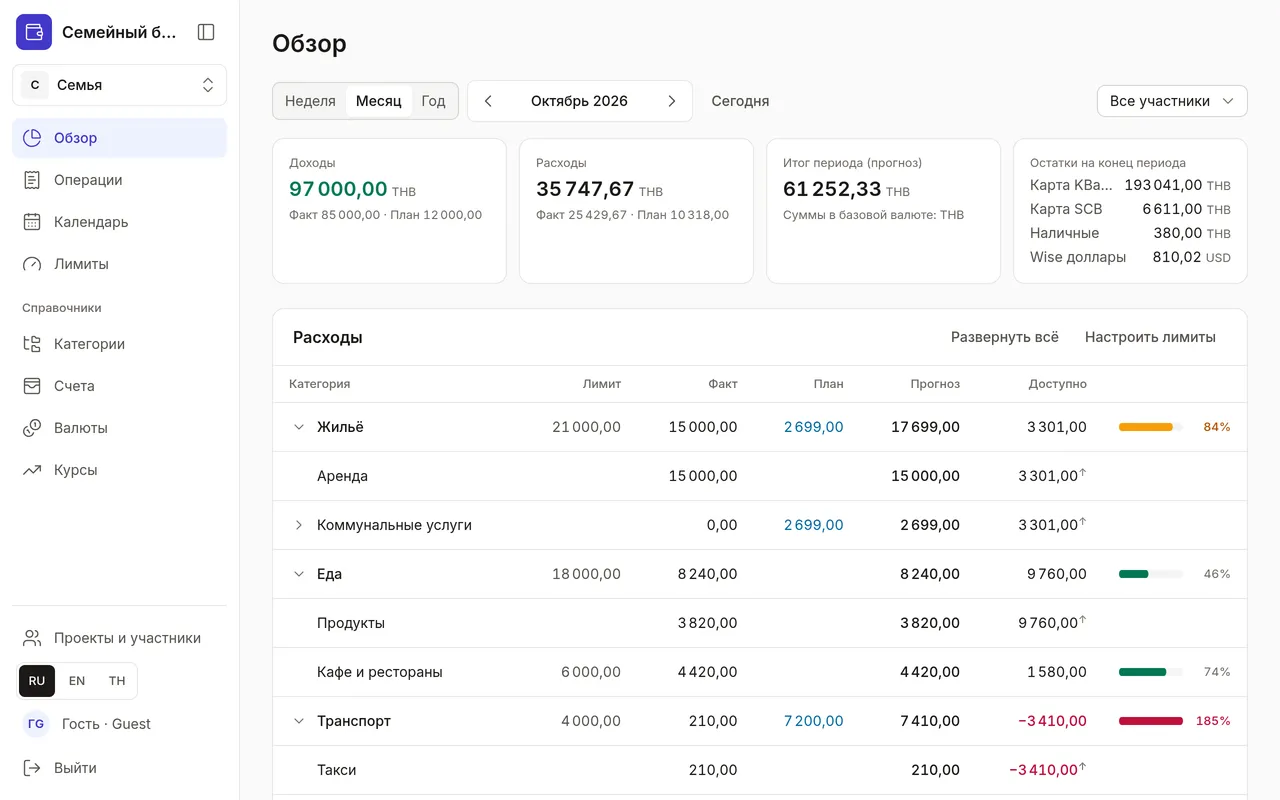
Limits on the category tree
A Food limit covers Groceries and Cafes. A warning at 80% and when it's exceeded.
-
Regular payments in a calendar
Rent and utilities show up in advance. “Paid” is one tap, and the amount is editable.
-
Three languages, many currencies
Russian, English, Thai; baht, ruble, dollar — at the rate on the transaction date.
How it works
-
Create a budget
Sign in with email, GitHub or Facebook — your personal budget is created automatically.
-
Invite your family
Create a family project and add members by email.
-
Add expenses
…and see what's left for the month in every category.
Look around without signing up
A demo family with two months of spending, limits and a payment calendar. View only; the data resets daily.
Questions and answers
Where is my data stored and who can see it?
On our server, with encrypted backups. Only a project's members see its data. Passwords are kept by the Rauthy sign-in server — the app never sees them.
How do I invite my family?
Create a family project and add members by email. Each gets a role: owner, editor or viewer.
Which currencies are supported?
Any ISO 4217 code: baht, ruble, dollar, euro and more. The budget converts to your base currency at the rate on the transaction date.
How do I delete my account?
Press “Delete account” in your profile. Personal data is deleted in the app and on the sign-in server. See the Data deletion page for details.
Start budgeting together
A couple of minutes to set up — and the whole month is visible before the first payment.
Create a budgetAlready have an account? Sign in